


Feb 12, 2019
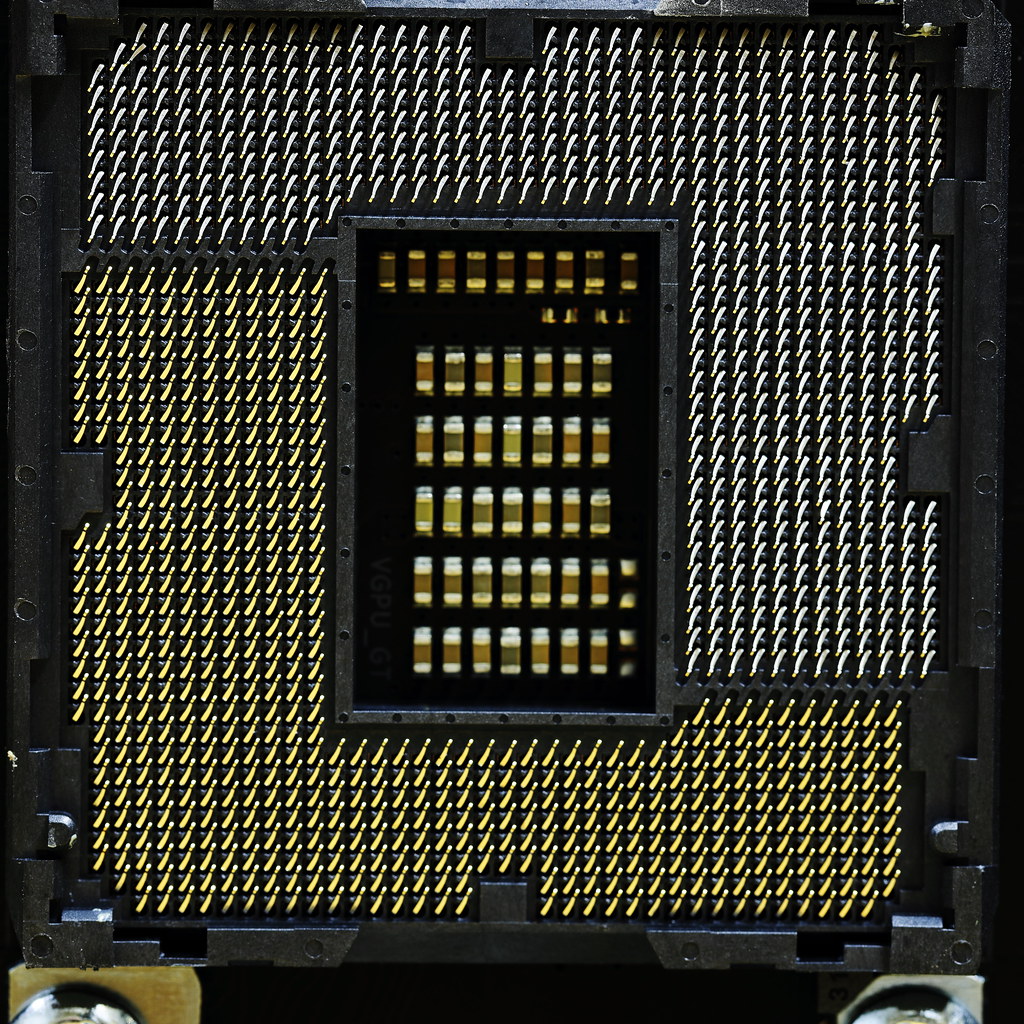
LGA 1151 with 2/1151 crooked pins by Pascal Volk
seen from United States
seen from China

seen from Sweden

seen from Sweden
seen from China

seen from United Kingdom
seen from China

seen from Malaysia
seen from South Korea

seen from Italy

seen from Australia
seen from United States
seen from United States

seen from United States

seen from Austria
seen from China
seen from United States
seen from China
seen from China

seen from China
LGA 1151 with 2/1151 crooked pins by Pascal Volk

Today on the test bench is the brand new ASUS ROG STRIX Z390-E Gaming motherboard. The ASUS ROG STRIX Z390-E represents a mid-range offering from a global brand focused on gaming (ROG). ASUS and the Republic of Gamers brand are often associated with enthusiast level hardware focused at gamers. The STRIX range caters towards the middle of the road with their options primarily being aimed directly at gaming.
The STRIX Z390-E Gaming has plenty to offer including RGB LED lighting, 2 x M.2 slots with heatsinks and uses an Intel 9560 MU-MIMO 1.73Gbps capable Wi-fi adapter. Gamers will be happy to know a SupremeFX S1220A is there if you’re looking for premium audio and the board does have plenty of USB 3.1 Gen2 10Gbps ports on the rear panel.
Before we dive into the full specifications and a closer look at the ASUS ROG STRIX Z390-E Gaming motherboard itself, here is what ASUS has to say about their new Z390 chipset socket LGA 1151 motherboard:
“ROG Strix Z390-E Gaming amps the power delivery and stacks a comprehensive set of cooling options to tame Intel’s latest CPUs. Together with a wealth of enhancements, including one-click optimization and wireless connectivity, ROG Strix Z390-E Gaming makes a formidable foundation for ATX gaming builds that go above and beyond. The ROG Strix Z390-E Gaming provides all the essentials you need to harness the full potential of components in your build for top-tier gaming performance. A host of design touches, including a unique cyber-text pattern, plus customization options, comprehensive validation lists, and the most diverse ecosystem of components in the industry make building and personalizing a gaming rig with ROG Strix Z390-E Gaming wonderfully easy.”
ASUS ROG STRIX Z390-E Gaming Specifications & Features
Core Specifications Edition ROG STRIX Z390-E GAMING Form Factor ATX CPU Socket 1151 Chipset Intel Z390 RAM Memory Support Memory Type DDR4 Memory Channel Dual (2) Memory Type (ECC) Non-ECC Memory Type (R/U) UDIMM (Unbuffered) Memory Speed (Mhz)
DDR4 – 2133
DDR4 – 2400
DDR4 – 2666
DDR4 – 2800(OC)
DDR4 – 3000(OC)
DDR4 – 3200(OC)
DDR4 – 3300(OC)
DDR4 – 3333(OC)
DDR4 – 3400(OC)
DDR4 – 3466(OC)
DDR4 – 3600(OC)
DDR4 – 3733(OC)
DDR4 – 3866(OC)
DDR4 – 4000(OC)
DDR4 – 4133+(OC)
Max. Memory Capacity 64GB (4x16GB) Audio Audio ROG SupremeFX 8-Ch. HD Audio S1220A Graphics Support Primary GPU Interface PCIe 3.0 (x16) NVIDIA SLI Support 2-Way SLi AMD CrossFire Support 3-Way CrossFire Integrated Graphics On-Board Graphics Connectors
DisplayPort 1.2
HDMI 1.4b
Internal Connectivity Expansion Slots
1 x M.2, 2242/2260/2280, PCIe 3.0/SATA
1 x M.2, 2242/2260/2280/22110, PCIe 3.0
3 x PCIe 3.0 x1
1 x PCIe 3.0 x16
1 x PCIe 3.0 x16 (x4 Bandwidth)
1 x PCIe 3.0 x16 (x8 Bandwidth)
SATA Support SATA3 / M.2 RAID Support via SATA3 / M.2 (PCIe) Storage Mode Support
Intel Optane Memory Ready
Intel Rapid Storage Technology Support
NVMe Boot (via M.2 PCIe Slot)
NVMe Boot (via PCIe 3.0 Slot)
RAID 0
RAID 1
RAID 10 (SATA 0~5 ONLY)
RAID 5 (SATA 0~5 ONLY)
Internal I/O
1 x 24-pin (Power)
1 x 4-pin AIO_PUMP Connector
1 x 4-pin CPU Fan Connector
1 x 4-pin CPU OPT Fan Connector
2 x 4-pin System Fan Connector
1 x 4-pin W_PUMP+ Connector
1 x 8-pin (Power)
1 x Addressable Digital RGB Header
2 x Aura RGB Strip Headers
1 x Clear CMOS jumper
1 x CPU_OV
1 x EXT_FAN
1 x Front Panel Audio Header
1 x M.2_FAN Connector
1 x MemOK!-II switch
1 x NODE connector
6 x SATA III – 6Gb/s
1 x Serial (COM) Header
1 x System panel connector
1 x Temperature Sensor Header
1 x TPM Header
2 x USB 2.0 Header
1 x USB 3.1 Gen1 Header
1 x USB 3.1 Gen2 Header
External Connectivity Network Interface Type
802.11ac WiFi LAN
Wired Gigabit LAN (10/100/1000)
Network Chip/Modules
1 x Intel Wireless-AC 9560 (ac WiFi, MU-MIMO, BT5)
1 x Intel® I219V (Gigabit LAN)
Rear I/O Connectors
1 x Center/Subwoofer Speaker Out
1 x DisplayPort 1.2
1 x HDMI 1.4b
1 x Line In
1 x Line Out
1 x Mic-In
1 x PS/2 Keyboard/Mouse Combo
1 x Rear Speaker Out
1 x RJ-45
1 x S/PDIF-Out (Optical)
2 x USB 2.0
2 x USB 3.1 Gen1 Type-A
3 x USB 3.1 Gen2 Type-A
1 x USB 3.1 Gen2 Type-C
2 x WiFi Antenna connectors
ASUS ROG STRIX Z390-E Gaming Closer Look
One of the best features of the ASUS ROG STRIX Z390-E Gaming motherboard is the design. The STRIX Z390-E follows a mainly black and grey colour scheme with plenty of RGB which pops out of the rear panel cover. The bottom half of the motherboard has 3 x PCIe 3.0 x16 slots which operate at x16/0/0, x8/x8/0 and x8/x8/x4. This motherboard allows for NVIDIA 2-way SLI and AMD 3-way CrossfireX gaming rigs to be created and gives you the option to build a solid single card system or a beastly multi-GPU system. There is also 3 x PCIe 3.0 x1 slots for expansion cards such as dedicated sound cards and RAID controllers.
Underneath the large VRM heatsink is a solid 10-phase set up which is more than capable of handling an overclock of say 5.2GHz on an Intel Core i9-9900K processor. The components include the use of DrMOS power stages for reliability and performance. Power is provided to the CPU by a single 8-pin 12V power input.
Storage is provided by 2 x M.2 slots which both feature their own individual heatsink and a total of 6 x SATA 6Gbps SATA ports. This board has support for RAID 0, 1, 5 and 10 arrays.
ASUS set the bar in regards to memory performance and the Z390-E STRIX is no different. The ASUS Z390-E supports DDR4 memory with speeds of up to 4266MHz and due to the Z390 chipset, allows for dual channel memory mode to be used.
On the rear I/O of the STRIX Z390-E Gaming are the following connections:
1 x DisplayPort
1 x HDMI
1 x LAN (RJ45) port(s)
4 x USB 3.1 Gen 2 (3 x Type-A+1 x USB Type-CTM)
2 x USB 3.1 Gen 1
2 x USB 2.0
1 x Optical S/PDIF out
5 x Audio jack(s)
1 x ASUS Wi-Fi Module
Plenty of connections to sink your teeth into and the inclusion of 3 x USB 3.1 Gen2 10Gbps Type-A and a single super fast USB 3.1 Gen2 10Gbps Type-C is great to see. Onboard audio is provided by a rebadged Realtek ALC1220 audio codec and given the ROG SupremeFX treatment. A lot of connections for gamers to connect their devices and a DisplayPort and HDMI port mean you’re not limited to a dedicated graphics card; Intel 8th and 9th generation desktop processors have integrated graphics.
It’s obvious that the ASUS ROG STRIX Z390-E Gaming looks great, but the most important thing is clearly performance. Time to see how it performs compared to other Z390 and Z370 motherboards in our general test suite and if this board makes good on all this potential.
ASUS ROG STRIX Z390-E Gaming Performance: Test Setup and Results
Test Bench and Setup
In the interest of fairness and to show real-world performance, the processor was left at stock. All of the motherboards and processors seen in the graphs below are set with multi-core enhancement enabled (on supported models) and are at the mercy of the motherboard itself. To keep things on an even playing field along with previously tested processors, we have used the same DDR4 memory running at 3000MHz with the same graphics card and the same testing methodology.
Motherboard: ASUS ROG STRIX Z390-E Gaming CPU: Intel Core i9-9900K (Stock settings) CPU Cooling: be quiet! Silent Loop 240mm GPU: ZOTAC GTX 1060 6GB RAM: Ballistix Elite 3000MHz 16GB (2x8GB) PSU: be quiet! Dark Power Pro 11 1000w OS: Windows 10 Professional x64
3DMark Fire Strike
3DMark Time Spy
AIDA64
Cinebench R15
Ashes of the Singularity
Thief
Total War Warhammer
The ASUS ROG STRIX Z390-E Gaming Review: The Verdict
Performance of the ASUS ROG Z390-E Gaming motherboard in our test suite was good all around and was neck and neck with other Z370/Z390 boards on test. Playing games on this board was a pleasurable experience and ASUS include tons of useful software with some of the most notable including:
Sonic Studio III
Sonic Radar III
ASUS ROG AURA Sync RGB
So with style looking good, performance looking good, it’s time to give my final verdict on this ATX sized gaming Z390 motherboard, the ASUS ROG STRIX Z390-E Gaming. What’s hot? What’s not? Let’s go go go…
What’s hot:
Looks great, nice grey and black colour scheme
RGB from the rear panel cover looks good, as well as expansion for more with 2 x RGB strip headers and 1 x RGB Addressable header
Support for 4266MHz memory… That’s fast!
A perfect example of a great mid-range Z390 motherboard
Solid BIOS with tons of overclocking functions (more than you will ever need)
What’s not:
A little bit pricier than ASRock, MSI and GIGABYTE’s mid-range models
One thing that sets the STRIX Z390-E motherboard apart from the rest of the mid-range is its sheer will to offer premium features and quality, at a lower price than expected. Sure there are cheaper alternatives on the market, but none of them does it the way ASUS Republic of gamers does. The Z390-E has a lot of positives including the software such as the Sonic Studio III utility, as well as the UEFI BIOS which is jam-packed with useful and customisable options and overclocking settings. The 10-phase VRM is also good quality and with a robust heatsink like the one installed, there should be no problems pushing your Intel Core i9-9900K to the moon and back!
Everything from the 2 x M.2 slots which both have heatsinks, the 10-phase Digi+ VRM, the support for 4266MHz DDR4 memory and the epic stylings make the ROG STRIX Z390-E a sure-fire winner with us. If you’re looking to build a good quality gaming system and intend to opt for an Intel CPU, the Z390-E Gaming is a superb motherboard which not only sits in the mid-range, but it utterly dominates it!
Thanks to ASUS for sending a sample of the ROG STRIX Z390-E Gaming in for review.
Related Reading:
ASRock Z390 Phantom Gaming ITX/ac Motherboard Review
Intel Core i9-9900K Review: The Best Gaming CPU!
Biostar Z379GT6 Gaming Motherboard Review
NZXT N7 Z370 ATX Motherboard Review
ASUS ROG Strix X370-I Mini-ITX Motherboard Review
ASUS ROG STRIX Z370-F Gaming Motherboard Review
Today on the test bench is the brand new ASUS ROG STRIX Z390-E Gaming motherboard. The ASUS ROG STRIX Z390-E represents a mid-range offering from a global brand focused on gaming (ROG). Today on the test bench is the brand new ASUS ROG STRIX Z390-E Gaming motherboard. The ASUS ROG STRIX Z390-E represents a mid-range offering from a global brand focused on gaming (ROG).
MSI Z370 GAMING PLUS Review - Best Value Z370 Motherboard?
In today's review, we get to grips with an entry level option to Intel’s 8th generation Z370 chipset in the form of the MSI Z370 GAMING PLUS motherboard.
Introduction & Specifications
The difference between budget and high-end boards in the current age can be the difference between a medium end and high-end graphics card when spec’ing up a final build. One element of MSI’s gaming-focused marketing strategy is providing users with solid and good reliable products, whilst remaining affordable and feature rich!
In today’s review, we get to grips with…
View On WordPress

Colorful announces a new non-standard form factor LGA 1151 motherboard with 8 PCIE x16 Slots
From Biostar to Asus announcing mining boards for miners. A new player wants to join the fray but with different kind of approach

ASRock makes it clear, the 8th Gen Intel Coffee Lake processors will not support the 200 series motherboards
ASRock makes it clear, the 8th Gen Intel Coffee Lake processors will not support the 200 series motherboards
It’s been only 2 years since the LGA1151 socket came out with the 6th generation Skylake Intel Core i7-6700K processors. Tech enthusiasts bought them with great zeal so that the boards will be in the game for at least 5-8 good years. But it seems like Intel is again ready to disappoint a big number of its fans with the latest bad news from its vault. Coffee Lake processors will not be able to run…
View On WordPress
Intel's upcoming high-end Coffee Lake processors are not compatible with the LGA 100-series and 200-series motherboards
Intel’s upcoming high-end Coffee Lake processors are not compatible with the LGA 100-series and 200-series motherboards
Intel has disappointed many of its fans with the bad news that no LGA 1151 socketed main board will be suitable for any of the upcoming Intel Coffee Lake desktop processors. The boards just came out with the release of Skylake processors and the compatibility issue with the Coffee Lake processors definitely gives a feeling of money wastage for those who were excited about the newer technology.…
View On WordPress

Se filtró la Asus ROG Maximus IX Code Z270
Se filtró la Asus ROG Maximus IX Code Z270
Surge otra placa de gama alta y con escudo disipador (more…)
View On WordPress

Se han dado a conocer ciertas especificaciones del nuevo Intel Kaby Lake 7700K
Se han dado a conocer ciertas especificaciones del nuevo Intel Kaby Lake 7700K
Las especificaciones para Kaby Lake i7 7700K de Intel han sido mostradas en la base de datos SiSoft Sandra, permitiéndonos conocer lo que se espera de la próxima generación de las CPUs de Intel. Una cosa a tener en cuenta es que estos datos vienen de muestras de ingeniería de las CPUs Skylake de Intel, así que las velocidades de reloj de estas muestras pueden no ser representativas del producto…
View On WordPress